Features

Built for developers who build apps.

ORM auto-connect, SQL notebooks, schema-aware AI, EXPLAIN ANALYZE, ERD generation. Native macOS, built with Swift. $79 once.

01What makes QueryDeck different
CLI + ORM

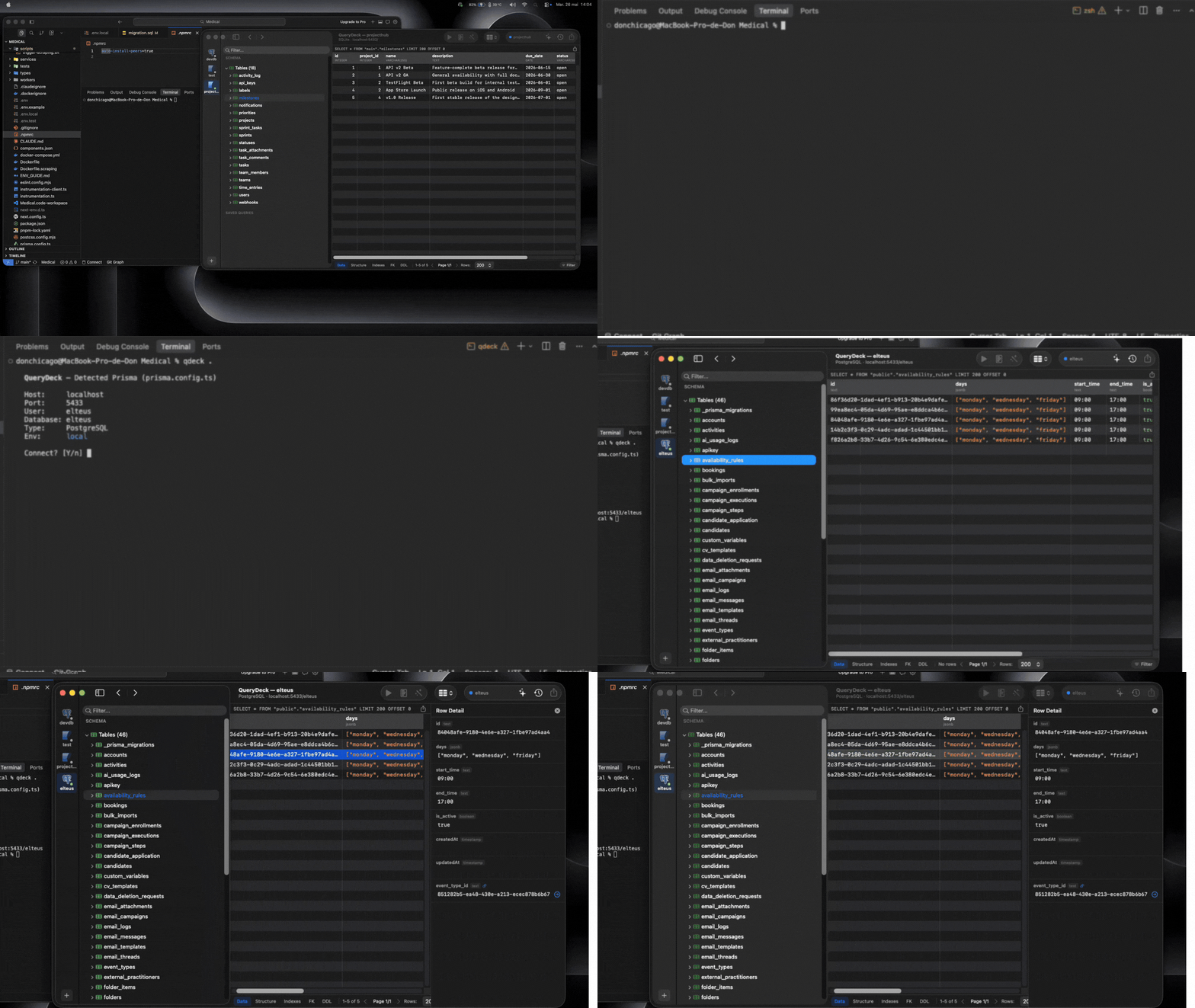
Auto-detect your ORM, connect in one command

Run qdeck in your project directory. Drizzle and Prisma get the deepest support (that is where the drift gap is widest). Also detects TypeORM, SQLAlchemy, Django ORM, ActiveRecord, and Sequelize. Reads the connection config and opens pre-connected. No more copy-pasting DATABASE_URL.

QueryDeck CLI detecting Prisma schema and auto-connecting to PostgreSQL
Schema Drift

Spot the gap between your ORM and your database

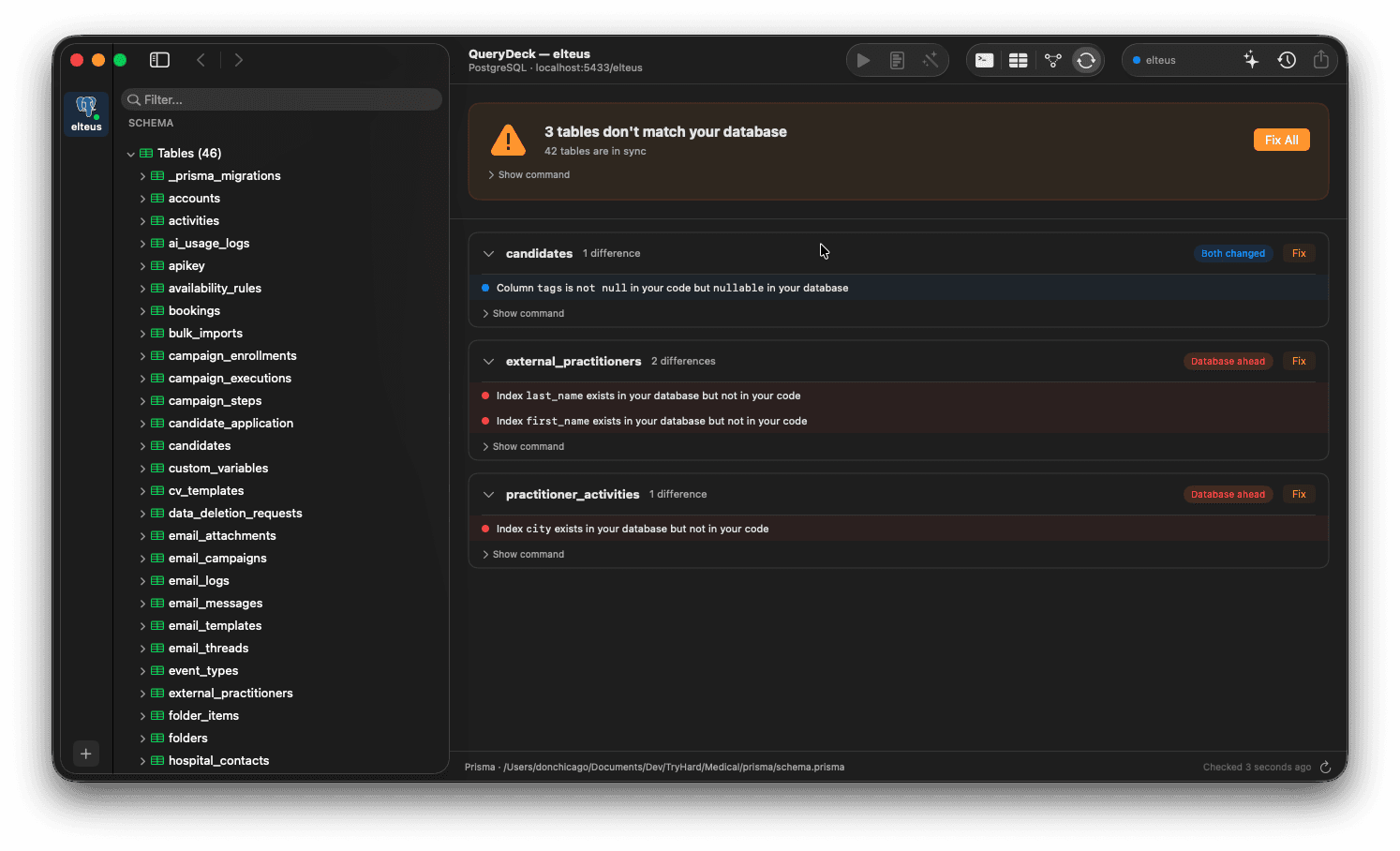
QueryDeck reads Drizzle (where drift detection does not exist) and Prisma (where migrate diff produces false positives since v7), then compares against the live database and highlights every mismatch: missing columns, type differences, extra indexes. Catch drift before it hits production. Drift Mode parsers also cover TypeORM, ActiveRecord, Django, and Eloquent. SQLAlchemy and Sequelize get auto-connect but no Drift Mode parser yet.

QueryDeck schema drift detection showing differences between Prisma schema and live PostgreSQL database
02Core tools
SQL Editor
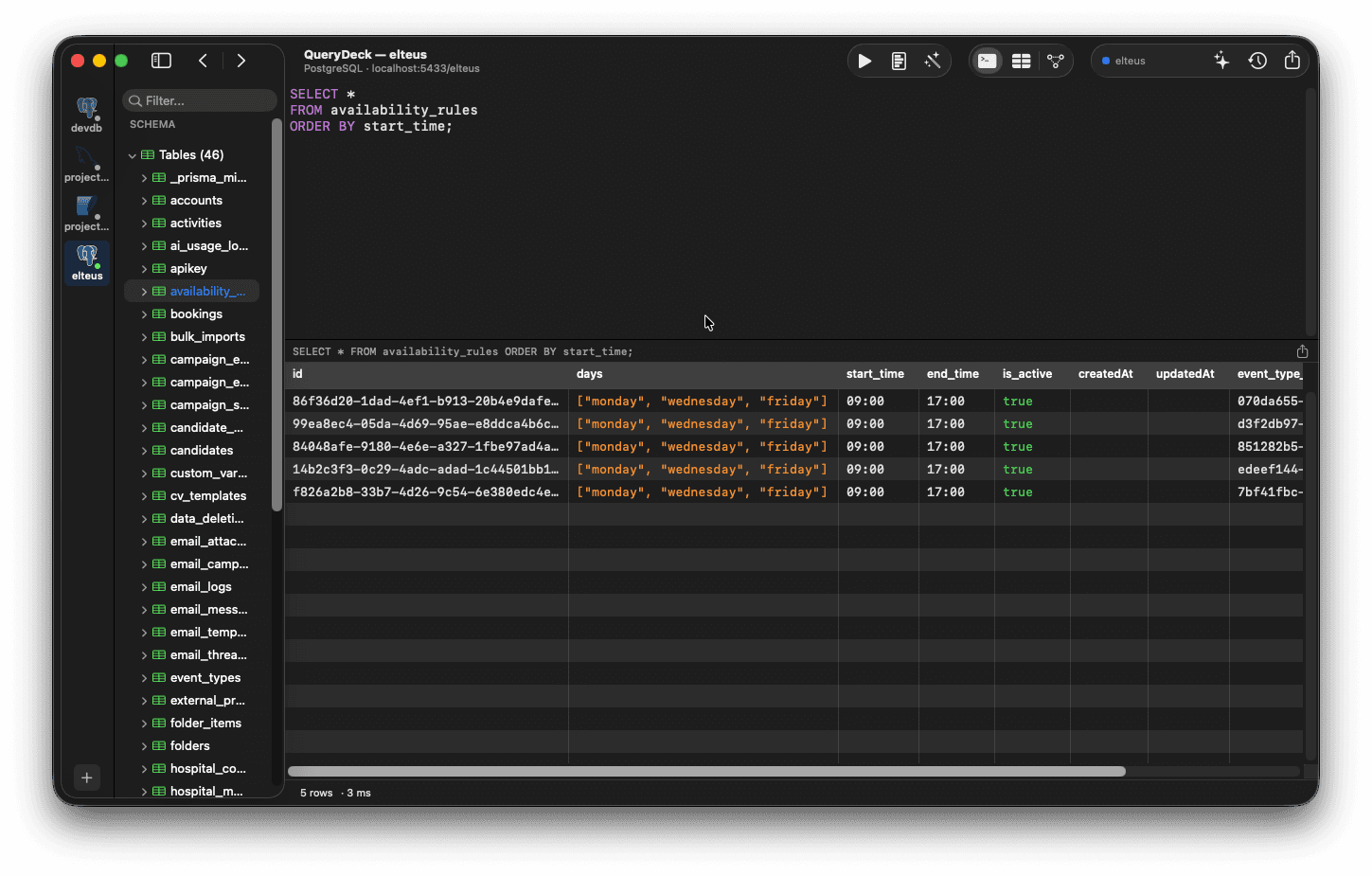
QueryDeck SQL editor with syntax highlighting, schema tree, and query results

Schema-aware SQL editor

Per-dialect syntax highlighting for PostgreSQL, MySQL, SQLite, MongoDB, and Redis. Autocomplete that knows your tables, columns, and functions. Multi-tab queries with keyboard-first navigation. Built on AppKit, not a web view.

AI Assistant
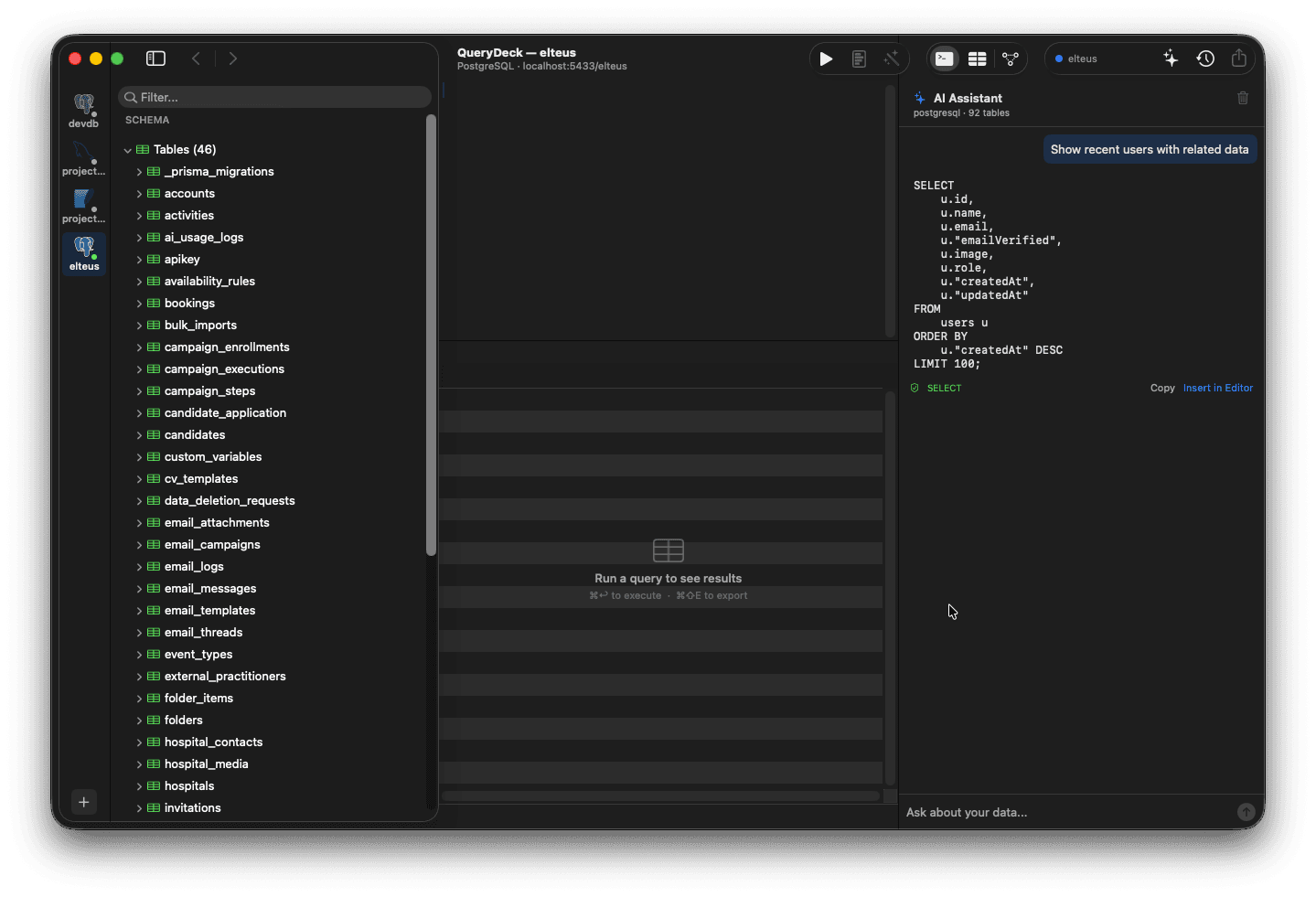
QueryDeck AI assistant generating SQL from natural language with Copy and Insert in Editor buttons

Schema-aware AI, on-device or cloud

Describe what you want in plain English. QueryDeck generates SQL using your schema as context. Zero-config on-device AI, BYO API key, or local Ollama. Your data never leaves your machine.

EXPLAIN ANALYZE
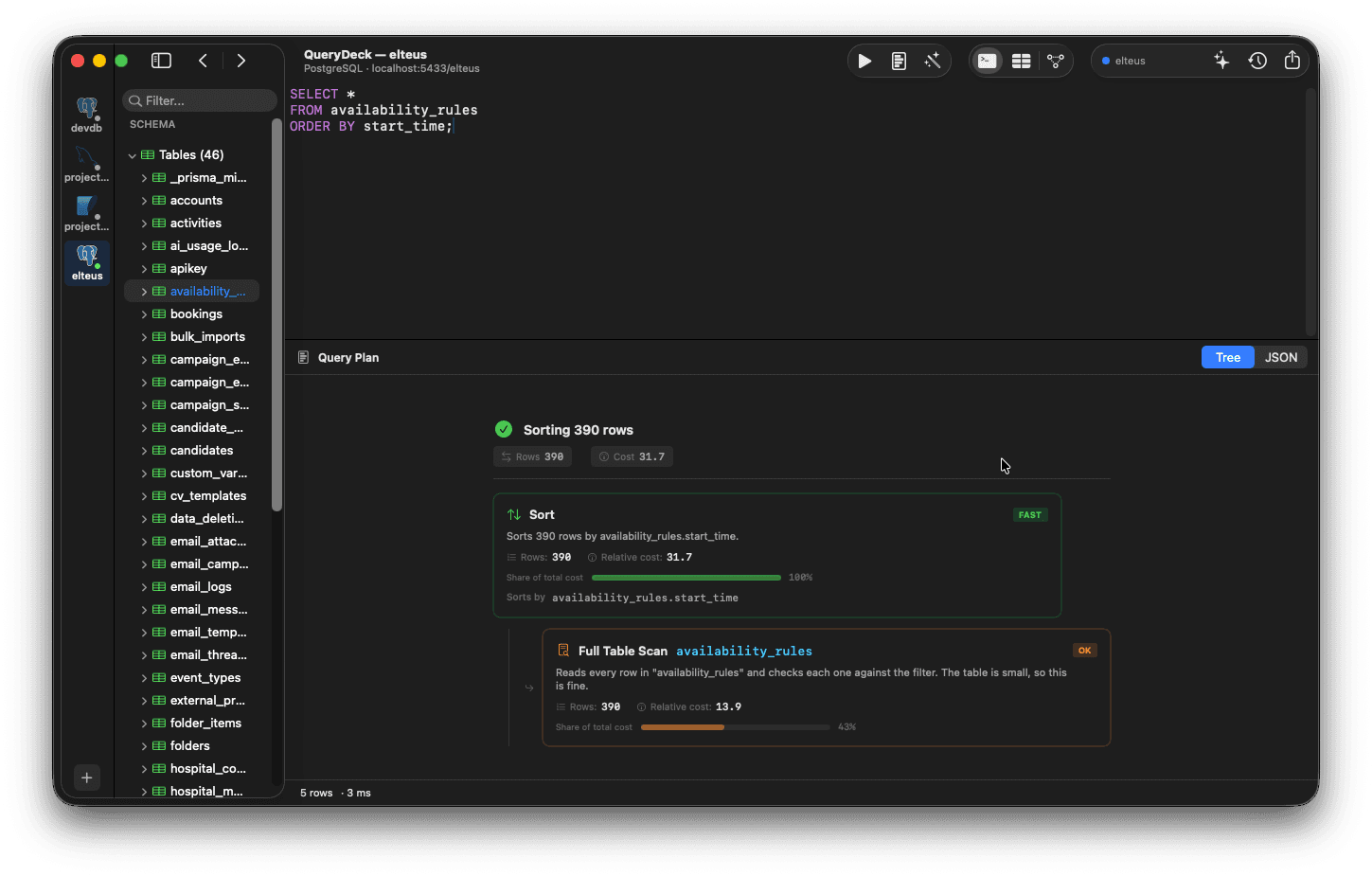
QueryDeck EXPLAIN ANALYZE with tree view, severity badges, and performance tips

Visual query plan analysis

Visual query plan breakdown for PostgreSQL and MySQL. Identify sequential scans, costly joins, and missing indexes at a glance. Stop guessing. Measure.

ERD Generation
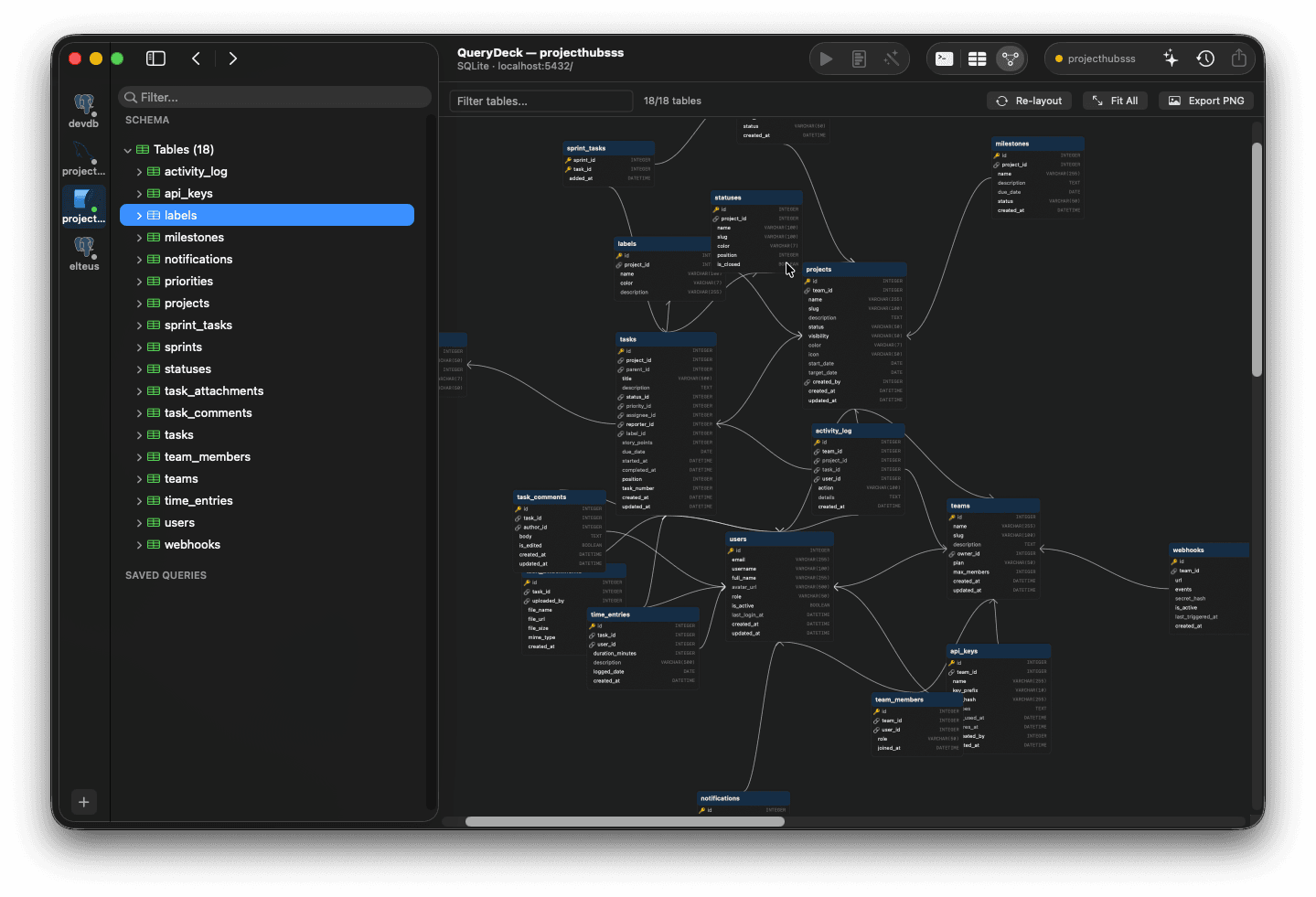
QueryDeck ERD with force-directed layout and crow's foot notation

Auto-generated entity-relationship diagrams

Entity-relationship diagrams generated from your live database schema. Foreign keys become edges. Export to PNG or SVG for documentation.

PostGIS

PostGIS geometry on a native MapKit overlay

Double-click any spatial cell to see the actual shape on Apple Maps. Points, linestrings, polygons, polygons-with-hole, multi-geometries, geometry collections — all rendered natively, not as WKT text you have to paste into a browser viewer. Inline EWKT in the grid is the floor, the MapKit overlay is the ceiling.

03More features
MCP Server

Your database as a tool for Claude Code and Cursor

QueryDeck runs as an MCP server. Schema introspection, query execution, and table exploration become native tools for Claude Code, Cursor, or any MCP client. Drop one config block and your AI knows your DB.

Notebooks

SQL notebooks with inline results

Mix SQL cells, Markdown notes, and query results in one interactive document. The Jupyter notebooks for databases. Export to PDF or HTML. Share with your team or attach to a PR.

Command Palette
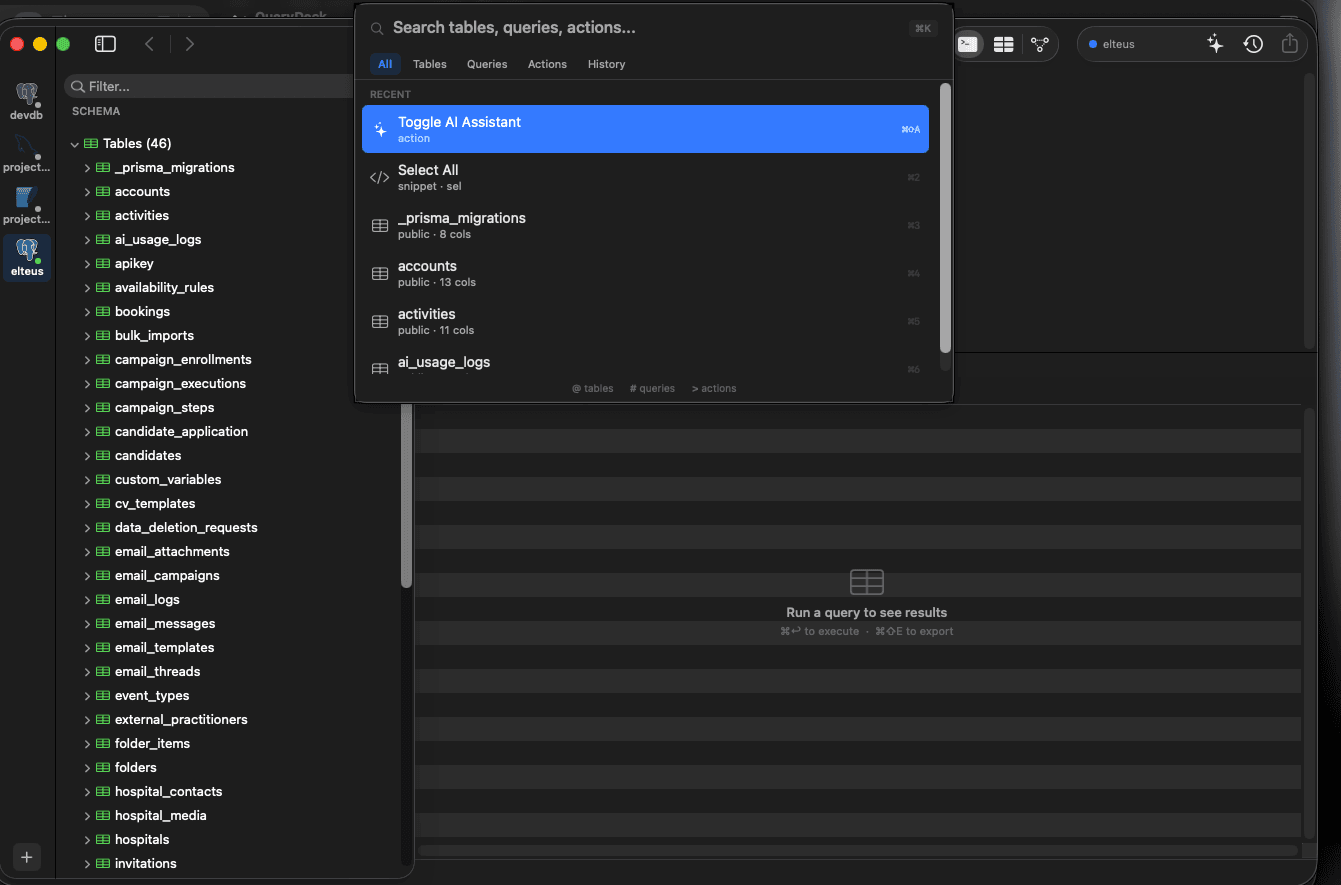
QueryDeck command palette with fuzzy search across tables, queries, and actions

Cmd+K for everything

Access any action from the keyboard. Switch connections, run queries, open tables, search schema, all without touching the mouse.

Touch ID

Biometric production gating

Require Touch ID authentication before running queries on production databases. Prevent accidental writes with a hardware-backed safety net.

Multi-Database

Five databases, one client

PostgreSQL, MySQL, SQLite, MongoDB, and Redis. Switch between databases without switching tools. Connection color-coding keeps environments distinct.

Inline Editing

Edit data directly in the grid

Double-click any cell to edit. Insert rows, toggle NULLs, set defaults. Pending changes are tracked and applied in a single transaction.

JSON Inspector

Collapsible tree for JSON and JSONB cells

Double-click any json or jsonb cell to inspect nested objects and arrays in a collapsible popover. Available in query results, table browser, and notebooks.

Presets

Connection presets for Postgres, MySQL, and cloud variants

One-click templates for Postgres, MySQL, SQLite, and cloud-managed variants (Supabase, Neon, RDS, Aurora, CockroachDB, PlanetScale, MariaDB). Pick a preset, paste credentials, connect.

FK Navigation

Jump across tables with Cmd+Click

Cmd+Click any foreign key cell to open the referenced row in a new tab, pre-filtered on the primary key. Trace data relationships without writing JOINs.

04Also included

SSH tunnel support for bastion-hosted databases

Connection color-coding: production is red, always

Saved queries organized by project

Data export to CSV, JSON, and SQL

Schema browser with tables, views, functions, and indexes

Query history with full-text search

Read-only mode for production connections

Dark mode, follows macOS system appearance

Full keyboard shortcuts

Works fully offline, no account required

AI assistant is optional, works without it

05Under the hood
Language

Swift

Framework

AppKit

Min OS

macOS 14+

Architecture

Universal

06Frequently asked questions

What databases does QueryDeck support?

QueryDeck supports PostgreSQL, MySQL, SQLite, MongoDB, and Redis, all from a single native macOS app.

Which ORMs work with auto-connect vs Drift Mode?

Auto-connect covers 8 ORMs (Drizzle, Prisma, TypeORM, SQLAlchemy, Django, ActiveRecord, Sequelize, Eloquent). Drift Mode has 6 schema parsers today (Drizzle, Prisma, TypeORM, Django, ActiveRecord, Eloquent). SQLAlchemy and Sequelize Drift Mode parsers are planned.

What does Drift Mode catch and what doesn't it catch?

Catches: missing or extra columns, column type drift, nullable mismatches, default value drift, missing or extra simple indexes, missing or extra foreign keys, enum type drift. Silently passes (intentionally, to avoid false positives): partial index WHERE clauses, schema-name qualifiers, client-side defaults (UUID/CUID), sort direction, GIN opclasses. Does not catch yet: functional indexes, check constraints, triggers, generated columns, index onDelete/onUpdate changes, custom types like PostGIS.

What AI models can I use with QueryDeck?

You can use OpenAI, Anthropic (Claude), or any model running locally via Ollama. QueryDeck sends only your schema to the AI, never your actual data.

Does QueryDeck work offline?

Yes. QueryDeck works fully offline. No account, no internet connection required. The AI assistant needs internet only when using a cloud API key. Use Ollama for fully offline AI.

What macOS version do I need?

QueryDeck requires macOS 14 (Sonoma) or later. It runs natively on both Intel and Apple Silicon Macs as a Universal binary.

Try QueryDeck free for 14 days.

The database client that knows your project. $79 one-time. All your Macs.

Pre-launch offerLifetime ($149 value) for $79. Removed at launch.